SMS Consent: Appts Appointment Texts
Last updated: November 11, 2026
By opting in, customers agree to receive appointment text messages from APPTS LLC (Appts) about their bookings. Msg frequency varies. Msg & data rates may apply. Reply STOP to opt out, HELP for help. Consent is not a condition of booking.
APPTS LLC (“Appts”) sends Appts appointment texts to customers who agree to receive them. Customers agree by ticking the unticked box below when they book, by turning on “Appointment texts” in their profile, or by texting START to (213) 328-7755. Agreeing is optional and never a condition of booking, purchase or using Appts. Businesses on Appts cannot opt anyone in.
The consent, word for word
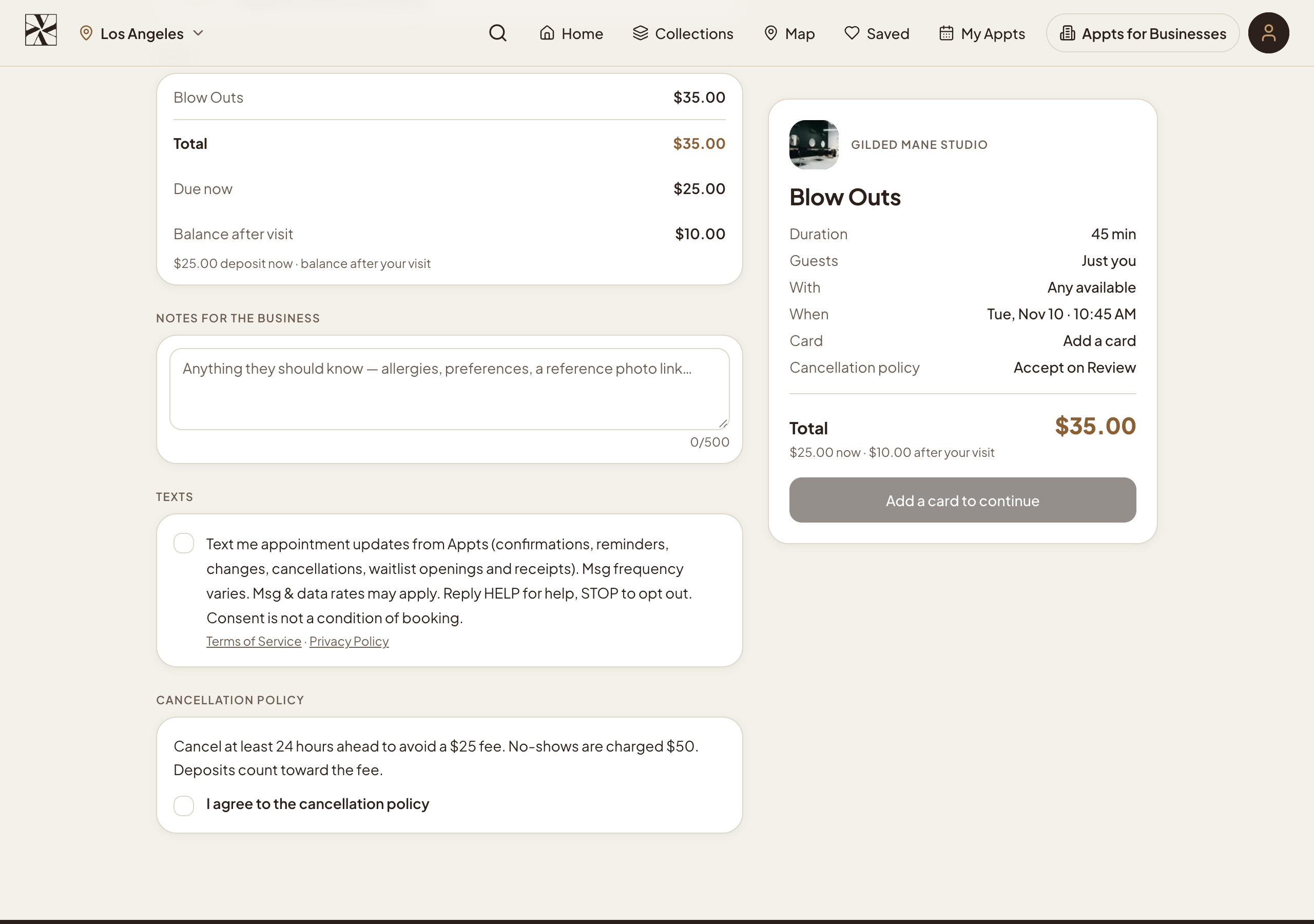
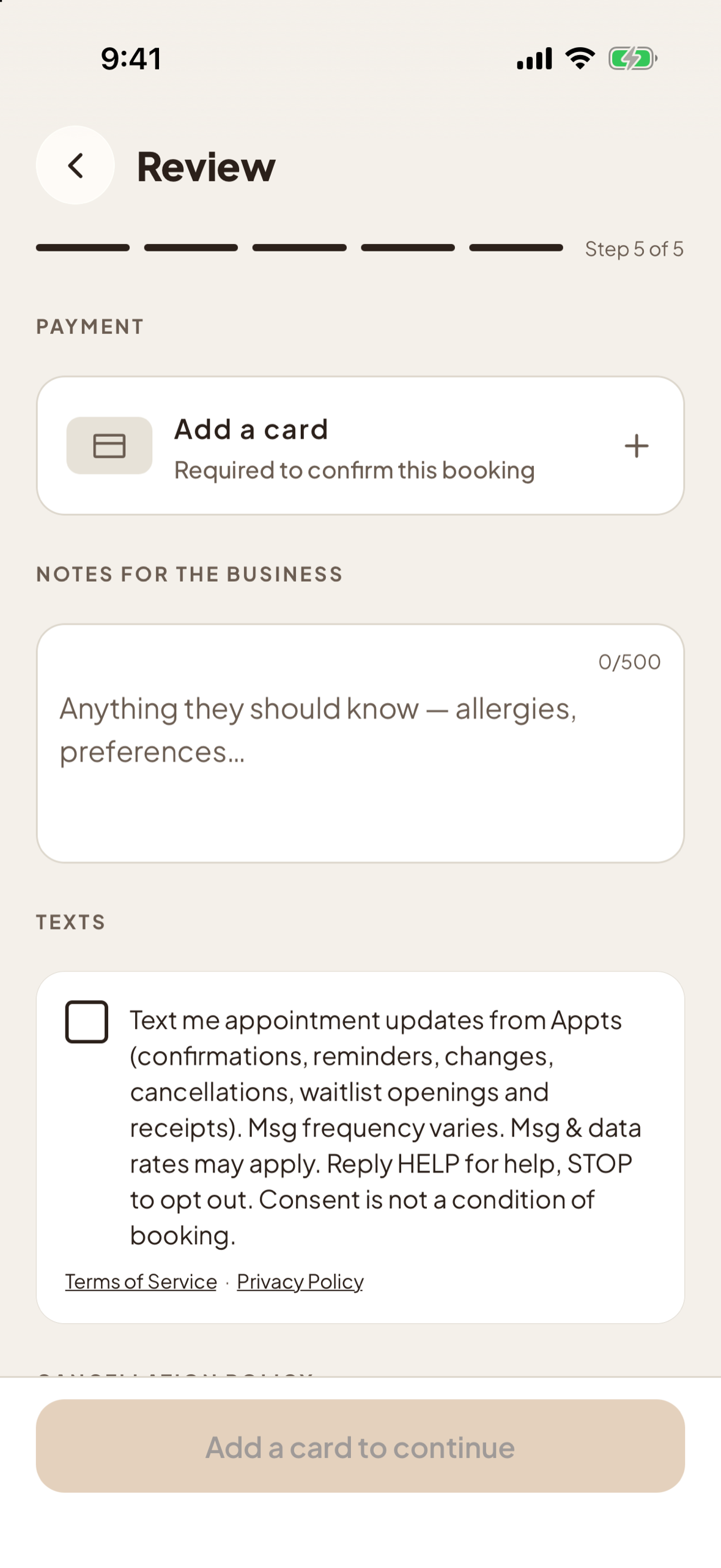
This is the opt-in checkbox customers see on appts.com and in the Appts iOS and Android apps:
Program details
- Program name and sender: Appts appointment texts, sent by APPTS LLC.
- Message types: booking confirmations, a reminder about 24 hours before the appointment, changes, cancellations, openings from a waitlist the customer joined, and receipts, all about the customer’s own bookings. No marketing messages.
- Message frequency: Msg frequency varies with your bookings.
- Rates: Msg & data rates may apply.
- Opt out: reply STOP to any message to stop receiving texts. You get one confirmation that texts have stopped.
- Help: reply HELP, or email support@appts.com.
- Opt in by text: text START to (213) 328-7755.
- Consent is not a condition of booking or of any purchase.
- Carriers are not liable for delayed or undelivered messages.
- Terms and privacy: Terms of Service · Privacy Policy.
- No mobile information will be shared with third parties or affiliates for marketing or promotional purposes. Text messaging opt-in data and consent are not shared with any third parties.
Where customers opt in
- When booking on appts.com and in the Appts iOS and Android apps: the checkbox above, unticked, on the booking review step, with links to the Terms of Service and Privacy Policy. The booking goes through whether or not it is ticked.
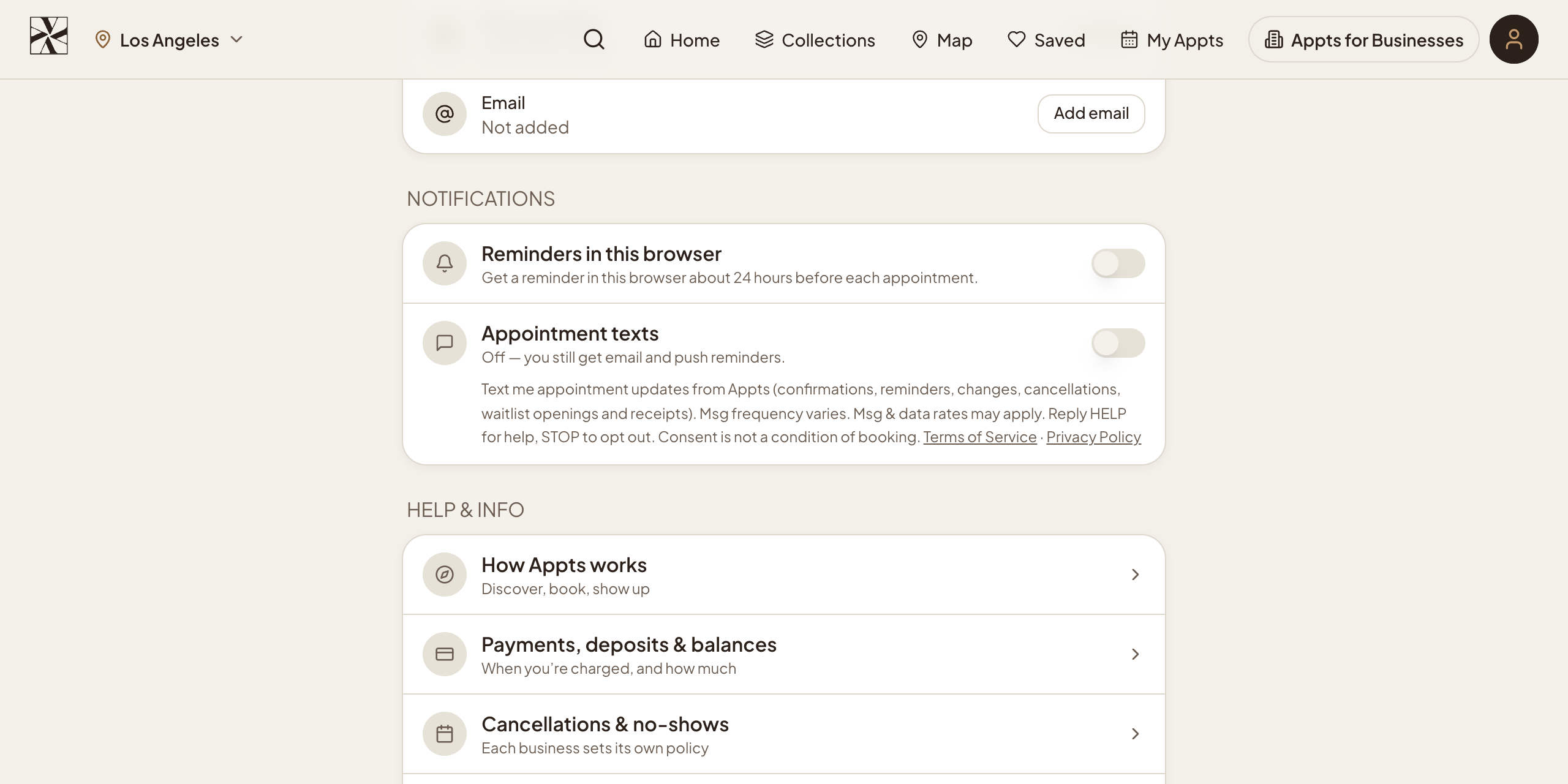
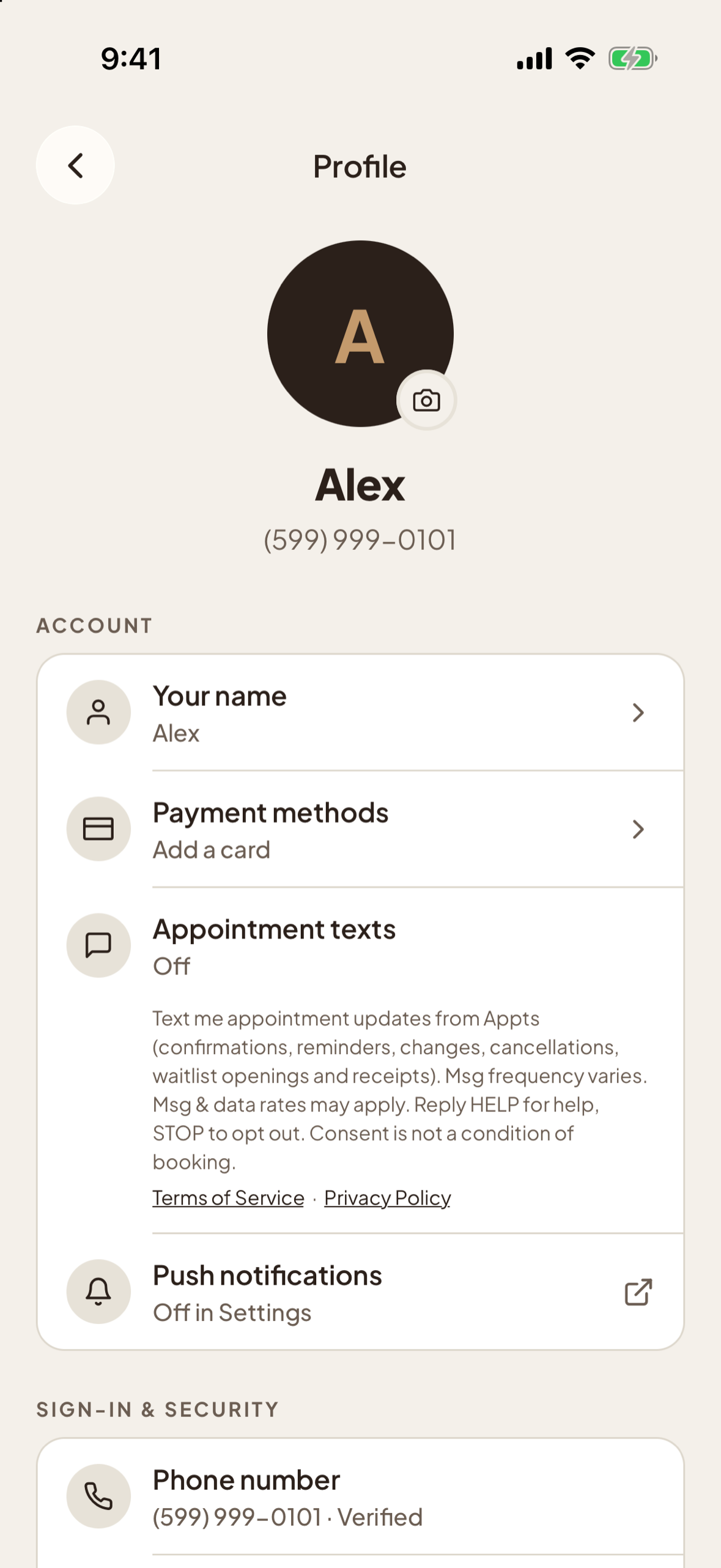
- In profile settings on appts.com and in the Appts iOS and Android apps: an “Appointment texts” switch, off until the customer turns it on, with the same wording and links beside it.
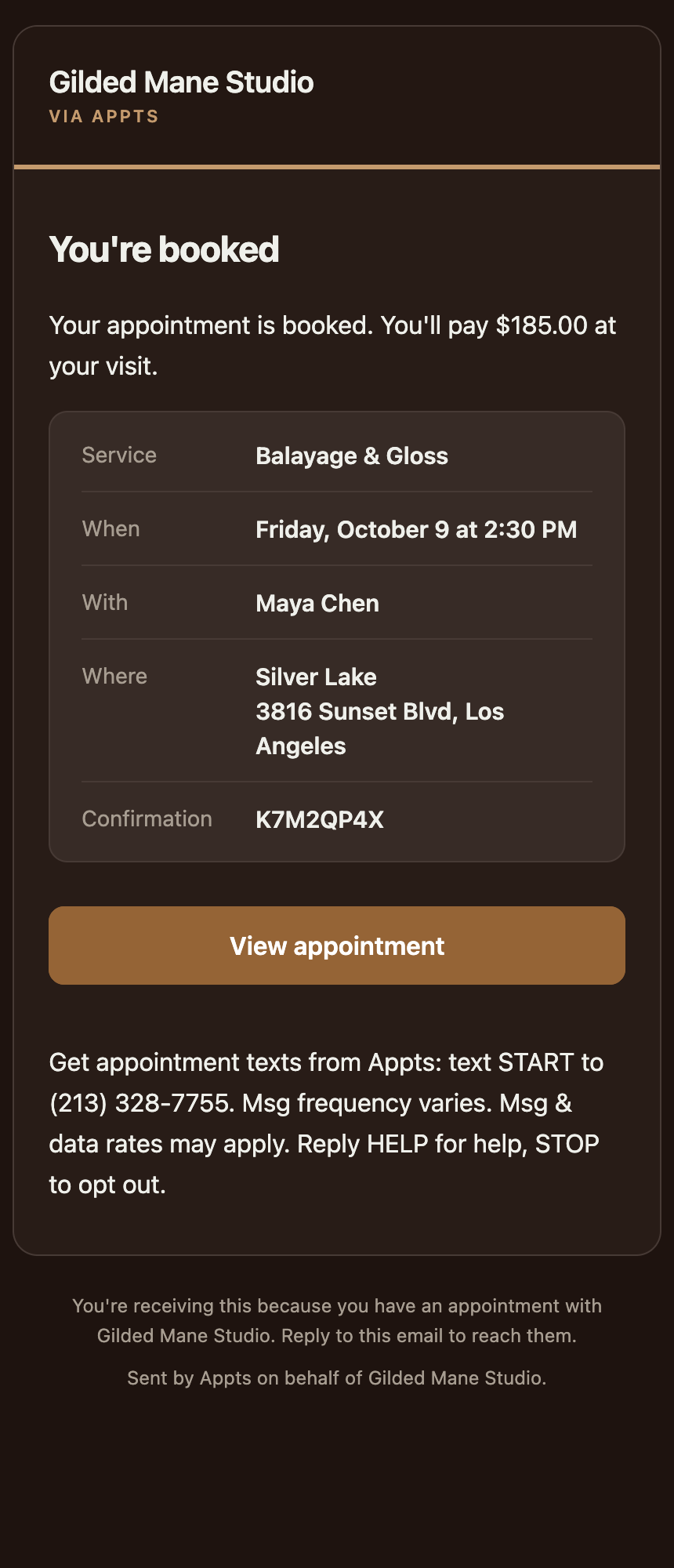
- By text: texting START to (213) 328-7755. Clients booked by a salon at its front desk are told this in their confirmation email, and nobody is texted until they do: “Get appointment texts from Appts: text START to (213) 328-7755. Msg frequency varies. Msg & data rates may apply. Reply HELP for help, STOP to opt out.”
There is no checkbox when creating an account: signing up, giving a phone number, booking, or being added by a salon never opts anyone in. Joining the waitlist on this website asks for an email address only. Each opt-in and opt-out is recorded with the number, the time, where it happened and the wording version shown.
After opting in
After opting in on a screen, the customer receives: “Appts: You're signed up for appointment texts. Msg frequency varies. Msg & data rates may apply. Reply HELP for help, STOP to opt out.”
Replying STOP opts out, START opts back in, and HELP returns help and support@appts.com.
The opt-in screens